
How to Set and Reset Your Max Studio Luggage Lock in Under 2 Minutes
A stuck or forgotten lock code can turn a smooth departure into a frustrating scramble at the gate. Whether you’ve just unpacked your new Max Studio suitcase or you’re resetting a code after a trip, knowing how to work with your Max Studio luggage lock keeps your gear accessible and secure.
This guide walks through the exact steps for setting a new combination, resetting a forgotten code, and troubleshooting common lock issues. We’ll also cover when a reset is the right fix and when a different approach works better.
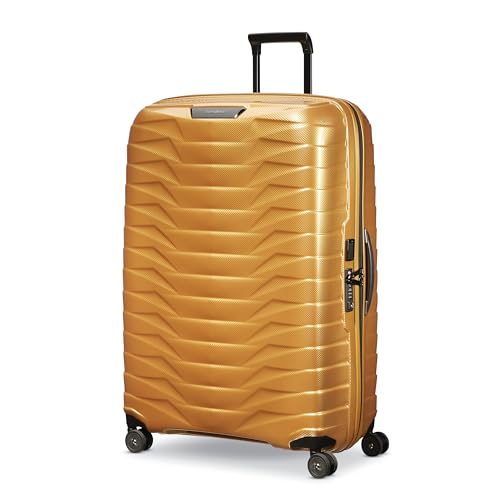
Setting Your Initial Combination on a New Lock
Every Max Studio lock ships with a default factory code—usually 0-0-0—that you’ll replace with your own three-digit combination. To set your code, locate the small reset button or lever on the side or underside of the lock housing.
With the lock open and the default code dialed in, press and hold the reset button using a pen tip or similar tool. While holding it down, rotate the dials to your new combination, then release the button. Test the new code twice before closing the case to confirm it registered correctly.
Choose a combination you’ll remember under pressure, but avoid obvious sequences like 1-2-3 or repeated digits. The TSA guidelines for approved locks don’t restrict combination patterns, but a memorable yet non-obvious code reduces the chance of forgetting it mid-trip.
Resetting a Forgotten Combination
If You Still Have the Original Packaging
Max Studio cases include a small card printed with the default factory code and reset instructions. If you’ve misplaced the card, the default is almost always 0-0-0 or, on older models, 1-0-0.
Using the Shim Method for TSA Locks
TSA-approved locks can be opened by security screeners using a master key, but that key isn’t available to travelers. A thin shim—such as a soda can strip or luggage tag clip—can sometimes release the latch mechanism if you slide it between the lock body and the zipper pull, applying gentle upward pressure while rotating the dials.
This method requires patience and a light touch. If the lock remains stuck after a few careful attempts, forcing it risks damaging the lock housing or the suitcase fabric around the zipper.
Why Your Lock Might Not Be Catching Properly
A lock that spins freely without engaging usually signals one of three issues: the internal catch has shifted out of alignment, debris has entered the dial mechanism, or the reset button was accidentally triggered and left the lock in programming mode.
Turn the case upside down and gently shake it to dislodge any grit or sand that may have settled into the lock cavity. If you’ve recently traveled somewhere dusty or coastal, this step alone often restores function.
Inspect the reset button—on some Max Studio models, a bump or pressure during handling can partially depress it, leaving the lock unable to engage until you fully press and release the button to exit reset mode. Dial in your current code, press the reset button firmly, then release it without changing the dials.

Changing Your Code Mid-Trip
You can update your combination anytime as long as you know the current code. Open the lock using your existing combination, then follow the same reset-button procedure described above: hold the button, dial your new code, release.
Travelers who share luggage with family members or colleagues sometimes rotate codes between trips to avoid one person needing to remember multiple combinations. Just be sure to record the new code somewhere separate from the case itself—your phone’s notes app or a password manager works well.
If you’re comparing high-durability luggage options for outdoor or expedition use, the same latch-and-dial systems found on Max Studio hard-shell cases also appear on specialized gear from brands like Therm-a-Rest, where rugged closure mechanisms are standard across sleep systems and storage.
Keeping Your Lock Reliable Trip After Trip
A functioning lock is a small detail that makes a measurable difference when you’re navigating crowded terminals or leaving your case in a hotel room. Setting your initial combination correctly, knowing how to reset it when needed, and addressing jamming or misalignment issues as soon as they appear will keep your Max Studio lock working smoothly for years.
If you run into persistent mechanical trouble that these steps don’t resolve, our customer service team can walk you through advanced troubleshooting or send a replacement lock unit. Most lock issues trace back to a simple reset-button misfire or debris in the mechanism—problems that take less than two minutes to fix once you know where to look.
Common Questions About Max Studio Luggage Locks
Most Max Studio locks ship with 0-0-0 as the default combination. A small number of older models use 1-0-0. Check the instruction card included with your case or try both sequences if you haven’t set a custom code yet.
Yes, if your lock displays the TSA-approved red diamond logo. Screeners carry master keys that unlock these mechanisms for inspection, then relock them afterward. Non-TSA locks may be cut open if security needs to inspect the contents.
A lock in reset mode will spin freely without catching, even when you dial in the correct combination. Press and release the reset button fully while the current code is dialed in—this exits programming mode and restores normal locking function.
Most Max Studio hard-shell cases use modular lock assemblies that unscrew or snap out from the inside panel. Contact our support team with your model number to order a matching replacement lock, then follow the included installation guide to swap it in.
Jamming after a reset usually means the internal catch didn’t fully seat when you released the reset button. Open the lock using your current code, hold the reset button down for a full three seconds, then release it without touching the dials. Test the lock several times before closing the case.
Try the default codes 0-0-0 and 1-0-0 first. If those don’t work, the shim method described above can sometimes release the latch on TSA-approved locks. As a last resort, contact Max Studio support with proof of purchase—we can provide model-specific reset instructions or arrange a replacement lock.